ViewTube

ViewTube
Sign inSign upSubscriptions
Filters

Upload date

Type

Duration

Sort by

Features

Reset

1,321 results

FunSize Guides
Google Forms Tutorial for Beginners (2026) | Complete Step-by-Step Guide

Learn how to use Google Forms with this complete beginner's guide! In this step-by-step tutorial, I'll show you everything you need ...

8:11
Google Forms Tutorial for Beginners (2026) | Complete Step-by-Step Guide

5,329 views

9h ago

FormsGen · Google Forms Tutorials
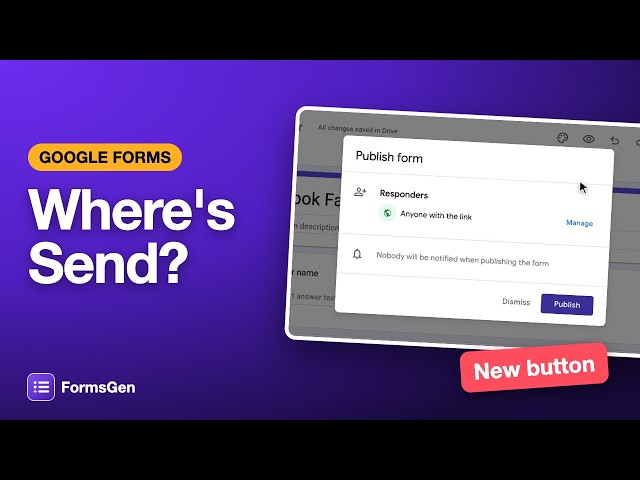
Where Is the Send Button in Google Forms? (New Publish Button)

Where's the Send button in Google Forms? The new Publish button explained. Step-by-step Google Forms tutorial. Build ...

0:47
Where Is the Send Button in Google Forms? (New Publish Button)

0 views

3h ago

Aguti Nancy Gloria
Google Forms Basics – Getting Started

Learn how to use Google Forms step by step! In this tutorial, you will discover how to create professional forms, add questions, ...

11:25
Google Forms Basics – Getting Started

18 views

21h ago

The Software Manual
Google Forms Tutorial Ep 5: Publishing and Sharing | Zero to Pro

Google Forms tutorial, Episode 5: publish a form, choose who can respond, copy and shorten the responder link, fill in the live ...

3:15
Google Forms Tutorial Ep 5: Publishing and Sharing | Zero to Pro

0 views

5h ago

Ask Marcus Tech
How to Manually Grade Short and Long Answers in Google Forms (Easy 2026 Method)

How to Manually Grade Short and Long Answers in Google Forms (Easy 2026 Method) manually grade short and long answers in ...

1:09
How to Manually Grade Short and Long Answers in Google Forms (Easy 2026 Method)

0 views

20h ago

Just Ask Leo
How to See Who Responded in Google Forms (Working 2026 Guide)

When responses start coming in and you need to identify who submitted them, this tutorial shows where to look in Google Forms.

3:50
How to See Who Responded in Google Forms (Working 2026 Guide)

1 view

4h ago

Ask Marcus Tech
How to Create a QR Attendance Form Linked to Google Sheets in Google Forms (Step by Step)

How to Create a QR Attendance Form Linked to Google Sheets in Google Forms (Step by Step) how to create qr attendance with ...

1:32
How to Create a QR Attendance Form Linked to Google Sheets in Google Forms (Step by Step)

2 views

17h ago

Ask Marcus Tech
How to Create a Google Task From a Google Forms Submission (New 2026 Method)

How to Create a Google Task From a Google Forms Submission (New 2026 Method) create a google task from a google forms ...

2:12
How to Create a Google Task From a Google Forms Submission (New 2026 Method)

0 views

16h ago

Ask Marcus Tech
How to Create a Digital Escape Room With Locked Sections in Google Forms (Quick Guide)

How to Create a Digital Escape Room With Locked Sections in Google Forms (Quick Guide) how to create a digital escape room ...

1:48
How to Create a Digital Escape Room With Locked Sections in Google Forms (Quick Guide)

0 views

15h ago

Ask Marcus Tech
How to View Responses Summary Charts in the Responses Tab in Google Forms (Easy 2026 Method)

How to View Responses Summary Charts in the Responses Tab in Google Forms (Easy 2026 Method) how to view analytics on ...

0:38
How to View Responses Summary Charts in the Responses Tab in Google Forms (Easy 2026 Method)

0 views

22h ago

Ask Marcus Tech
How to Combine Multiple Google Forms Into One Single Form (Quick Guide)

How to Combine Multiple Google Forms Into One Single Form (Quick Guide) how to combine multiple google forms into one ...

2:10
How to Combine Multiple Google Forms Into One Single Form (Quick Guide)

0 views

14h ago

Ask Marcus Tech
How to Create Different Quiz Versions With Branching Questions in Google Forms (2026 Method)

How to Create Different Quiz Versions With Branching Questions in Google Forms (2026 Method) how to make different quiz ...

2:28
How to Create Different Quiz Versions With Branching Questions in Google Forms (2026 Method)

0 views

1d ago

MESA
Google Forms + Trello = Requests on Your Board | MESA (No code)

Turn every Google Forms response into a labeled Trello card so new requests land where your team plans its work. Start with the ...

1:10
Google Forms + Trello = Requests on Your Board | MESA (No code)

2 views

4h ago

Ask Marcus Tech
How to Restrict a Google Form to Specific Users With Sign In (Easy 2026 Method)

... google forms, google forms password protection tutorial, google forms set up password protection, google forms tutorial, google ...

1:24
How to Restrict a Google Form to Specific Users With Sign In (Easy 2026 Method)

0 views

21h ago

Ask Marcus Tech
How to Show a Total Amount From Responses in Google Forms Using Google Sheets (2026 Method)

How to Show a Total Amount From Responses in Google Forms Using Google Sheets (2026 Method) how to add a total amount ...

1:12
How to Show a Total Amount From Responses in Google Forms Using Google Sheets (2026 Method)

0 views

22h ago

Ask Marcus Tech
How to Delete a Question in Google Forms (New 2026 Method)

How to Delete a Question in Google Forms (New 2026 Method) how to delete a question in google forms, delete a question in ...

0:44
How to Delete a Question in Google Forms (New 2026 Method)

0 views

19h ago

Ask Marcus Tech
How to Remove Duplicate Responses in Google Forms (Quick Guide)

How to Remove Duplicate Responses in Google Forms (Quick Guide) how to remove duplicate responses in google forms, ...

0:59
How to Remove Duplicate Responses in Google Forms (Quick Guide)

1 view

20h ago

Ask Marcus Tech
How to View Uploaded Files From Google Forms Responses in Drive (Step-by-Step)

How to View Uploaded Files From Google Forms Responses in Drive (Step-by-Step) view uploaded files from google forms ...

0:45
How to View Uploaded Files From Google Forms Responses in Drive (Step-by-Step)

1 view

23h ago

Asgar Technical
How to Create Google Forms on Mobile 2026 | How to Share Forms & View Responses 🔥

📱 How to Create a Google Form from Mobile 2026 | How to Create, Share & Check Google Form Responses Do you want to create a ...

8:37
How to Create Google Forms on Mobile 2026 | How to Share Forms & View Responses 🔥

4 views

4h ago

بوابة المعرفة
شرح جوجل فورمز Google Forms لعمل استبيان خطوة بخطوة

شرح خطوة بخطوة لبرنامج Google Forms للمبتدئين: فتح نموذج جديد، إضافة الأسئلة وأنواعها، إعدادات الأسئلة، تنسيق الشكل، مشاركة ...

3:40
شرح جوجل فورمز Google Forms لعمل استبيان خطوة بخطوة

4 views

7h ago